

使用 Buy&Ship 集运美国 Amazon 网购时,建议提前为 Buy&Ship 美国仓库地址完成以下 Amazon 账户设置,确保 Amazon 只在办公时间内派件,有效避免部分快递员在非营业时间把包裹直接放在门外,让货件安全抵达美国仓库,顺利转运到你手中!
💡 文章重点摘要:
・已提前设置者:若已按下方教程在 Amazon 的「Account settings」内完成「办公时间内送货指示」设置,结账时系统将自动套用,无需重复填写。
・未提前设置者:请在结账页面顶部点击「Add delivery instructions」,并按照下方教程 Step 4 – Step 6 填写送货指示即可。
设置Amazon美国仓库地址的办公时间内送货指示
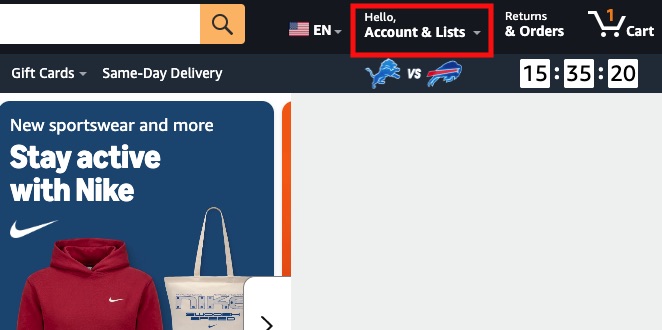
Step 1:前往并登录 Amazon US,点击右上角 Account & Lists
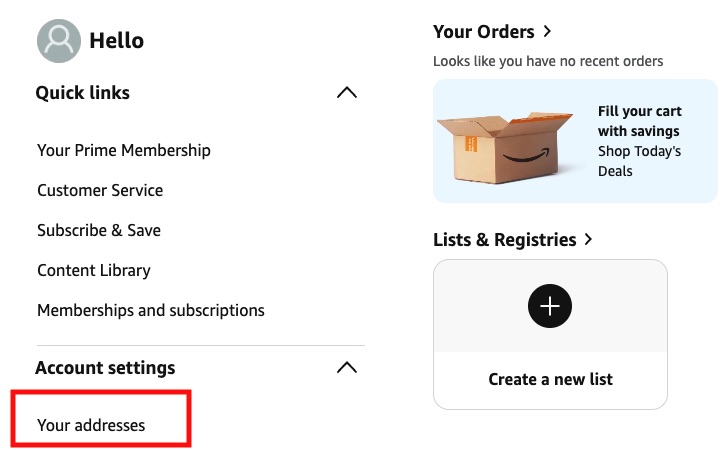
Step 2:点击 Account settings,再点击 Your addresses
Step 3:进入 Your addresses,填写「Amazon / eBay 适用仓库地址」,然后点击 Add delivery instructions
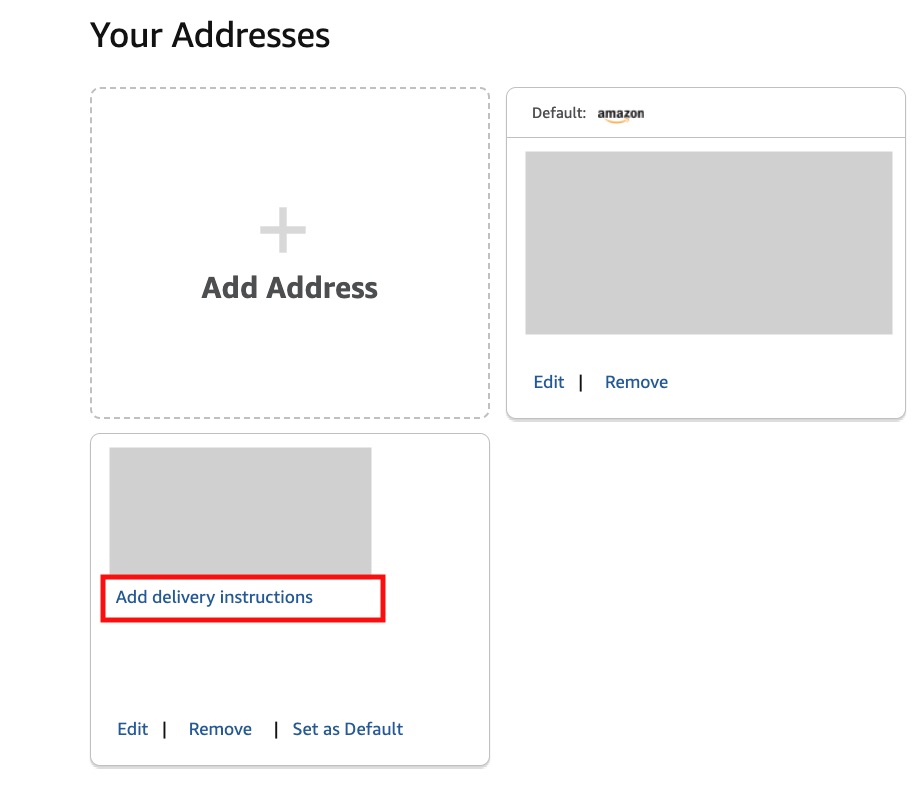
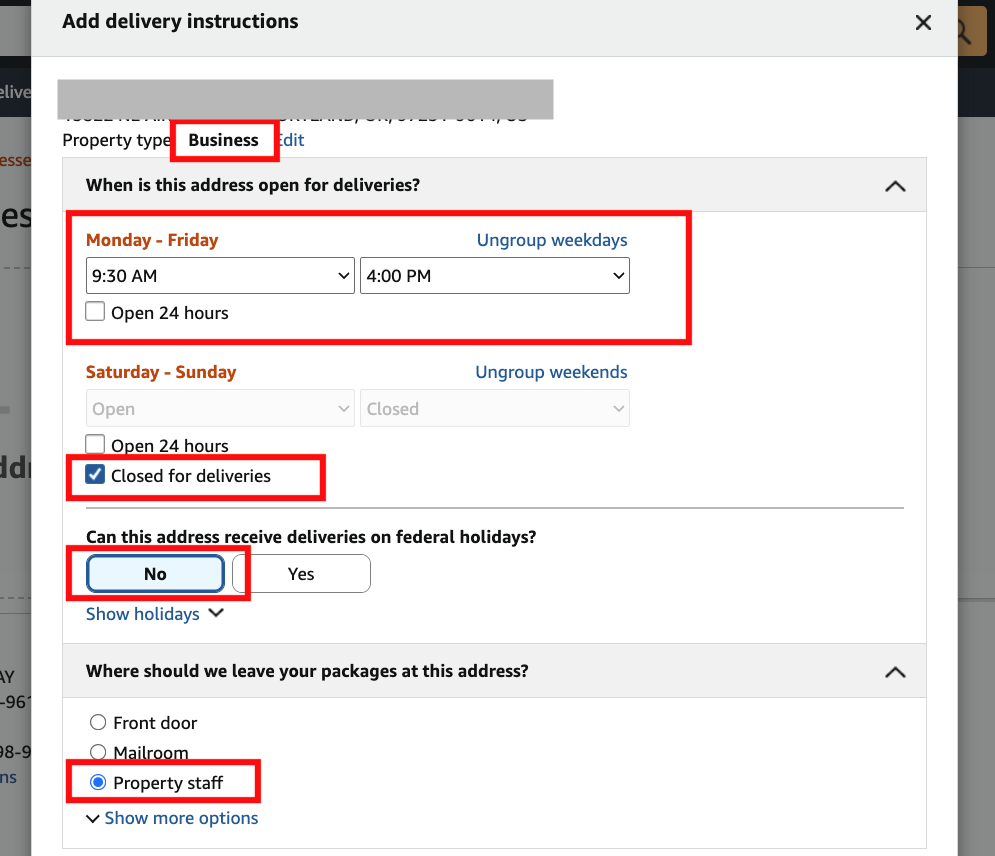
Step 4:点击 Add delivery instructions 后,会直接弹出设置窗口,请按以下指示逐一填写:
- Property type:选择「Business」
- When is this address open for deliveries?:Monday – Friday 选择「9:30 AM 至 4:00 PM」,Saturday – Sunday 则选择「Closed for deliveries」
- Can this address receive deliveries on federal holidays?:选择「No」
- Where should we leave your packages at this address?:选择「Property staff」(如页面未直接显示此选项,请点击 Show more options 展开)
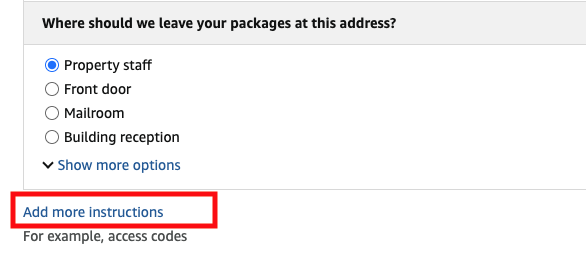
Step 5:点击 Add more instructions
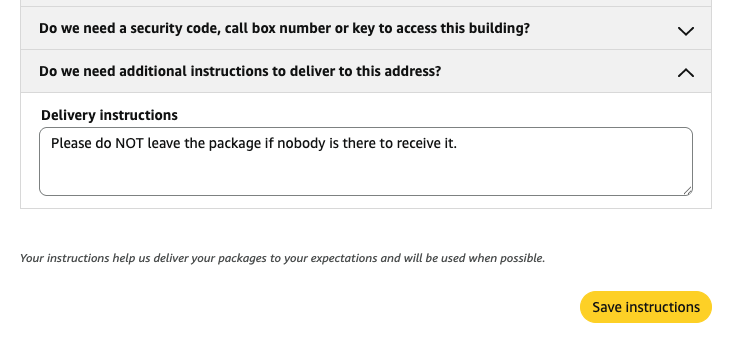
Step 6:点击 Do we need additional instructions to deliver to this address?,然后在 Delivery instructions 一栏中粘贴:Please do NOT leave the package if nobody is there to receive it.
最后点击「Save instructions」保存更改,即可安心选购心仪商品。
结账步骤:确保货件安全送达
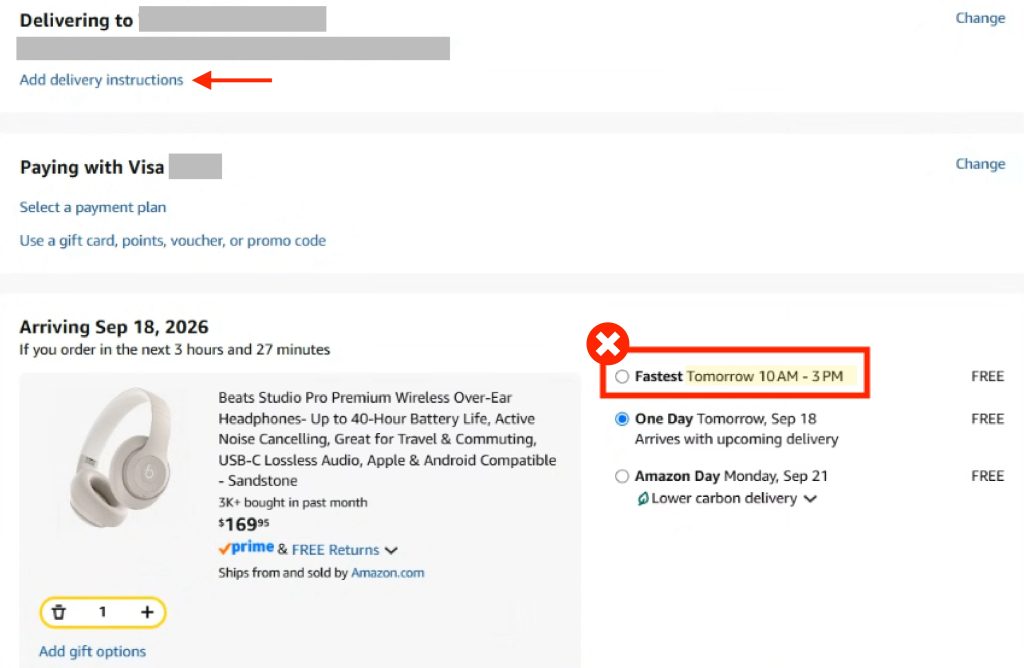
进入结账页面时,页面顶部仍会显示「Add delivery instructions」选项——若已按上述步骤填妥,此处无需重复填写。
页面下方如出现红框内的指定送货时段选项(例如标示特定时间的「Fastest」),建议选择红框以外、标示「无指定送货时段」的选项。完成选择后即可付款,安心等候收货。